




3.8
Free
Skype
A free and simple communication app
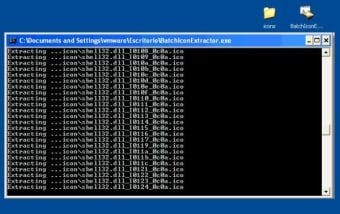
An easy to use and free tool for batch extraction of icons. Windows Vista compressed icons are supported!
This icon extractor works completely automatically. All you have to do is save it in any directory and drag and drop the file or directory from which you want to extract the icons in to the Icon Extractor batch file. The program will create a folder called icons and save the extracted icons.
Free
1.0
Windows
Windows XP
English
2.2K
98.30 KB

Have you tried Batch Icon Extractor? Be the first to leave your opinion!
Add review
Bring life to your screen display

Bring Los Santos to Life on Your Desktop

Easily transfer files to your Samsung device

Spruce Up Your Taskbar With This Nifty Tool

Gorgeous wallpapers on your desktop in just one click or auto-delivered at chosen time intervals. It's absolutely free!
Turn your icons into 3D images

Craft your own mobile phone ringtones
Easily manage full albums from Winamp's playlist
Festive Personalization with Santa Claus Hat Icons
Enhance Your Winamp Experience with Audioscrobbler
Personalize Your Experience with Stargate SG-1 Skin
Make your Winamp transparent
Read the lyrics of tracks you listen to in Winamp 2 or 5

Customize Your Messenger with Penguin MSN Skin
Active desktop calendar over wallpaper
Control Winamp from any window
Elegant Nokia-like skin for your Trillian